
How-to · Updated October 4, 2026
See who changed your Google Ads account, and undo it
Updated October 4, 2026
5 minutes
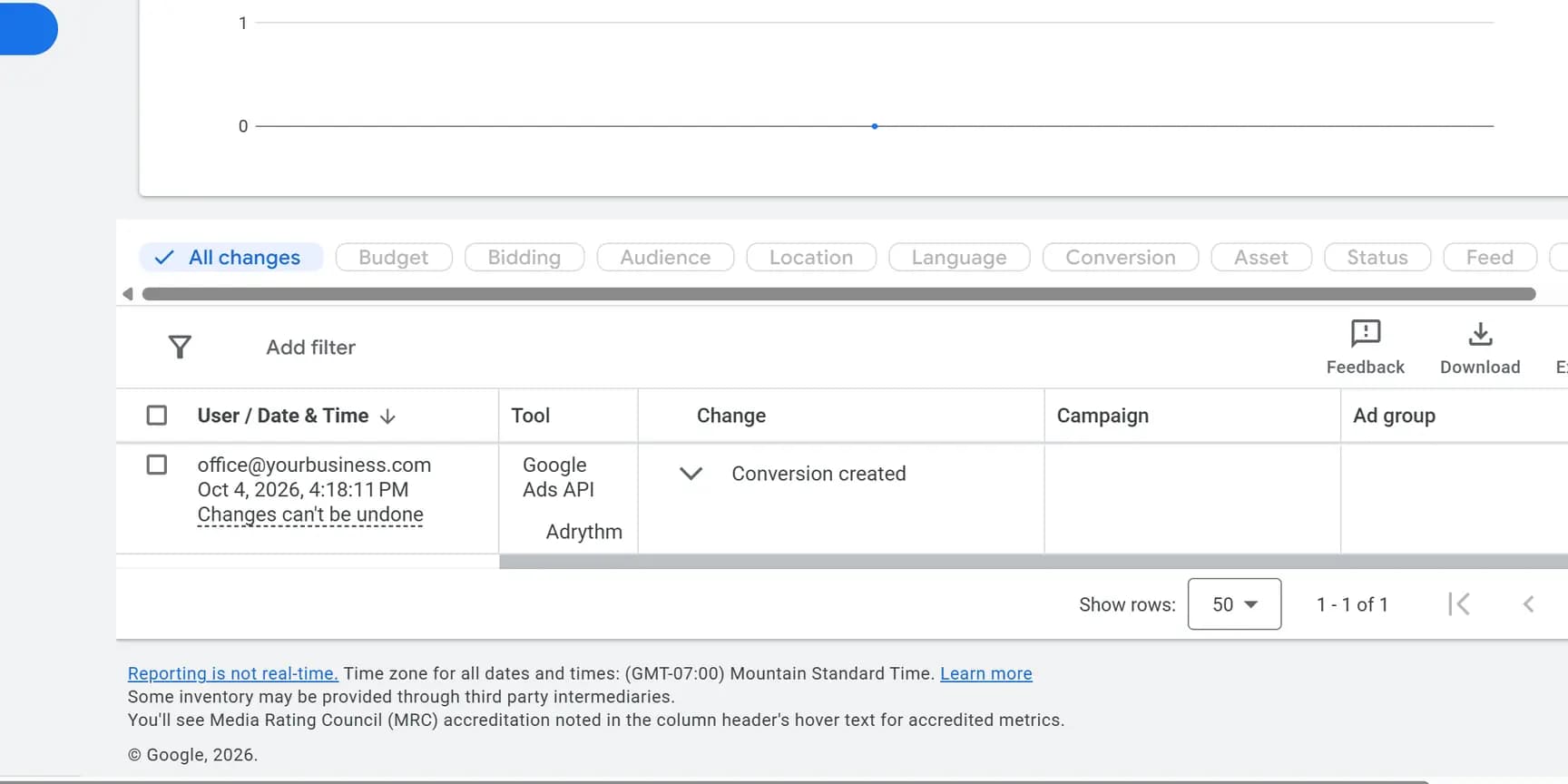
Open Campaigns, then Change history. Changes from the last two years are listed with who made them and when. An email address is a person, "Google Ads API" or a tool name is software, and "Google Ads system" is Google. Most changes from the last 30 days have an Undo link.
Before you start
- A login of your own with Read-only access or higher. Anyone who can view campaigns can see change history and who made the changes. Email-only access cannot.
- Roughly when things changed: the week cost jumped or the calls slowed down.
Find the change
Start from the date things went wrong and filter by the kind of change; the User column says who made it.
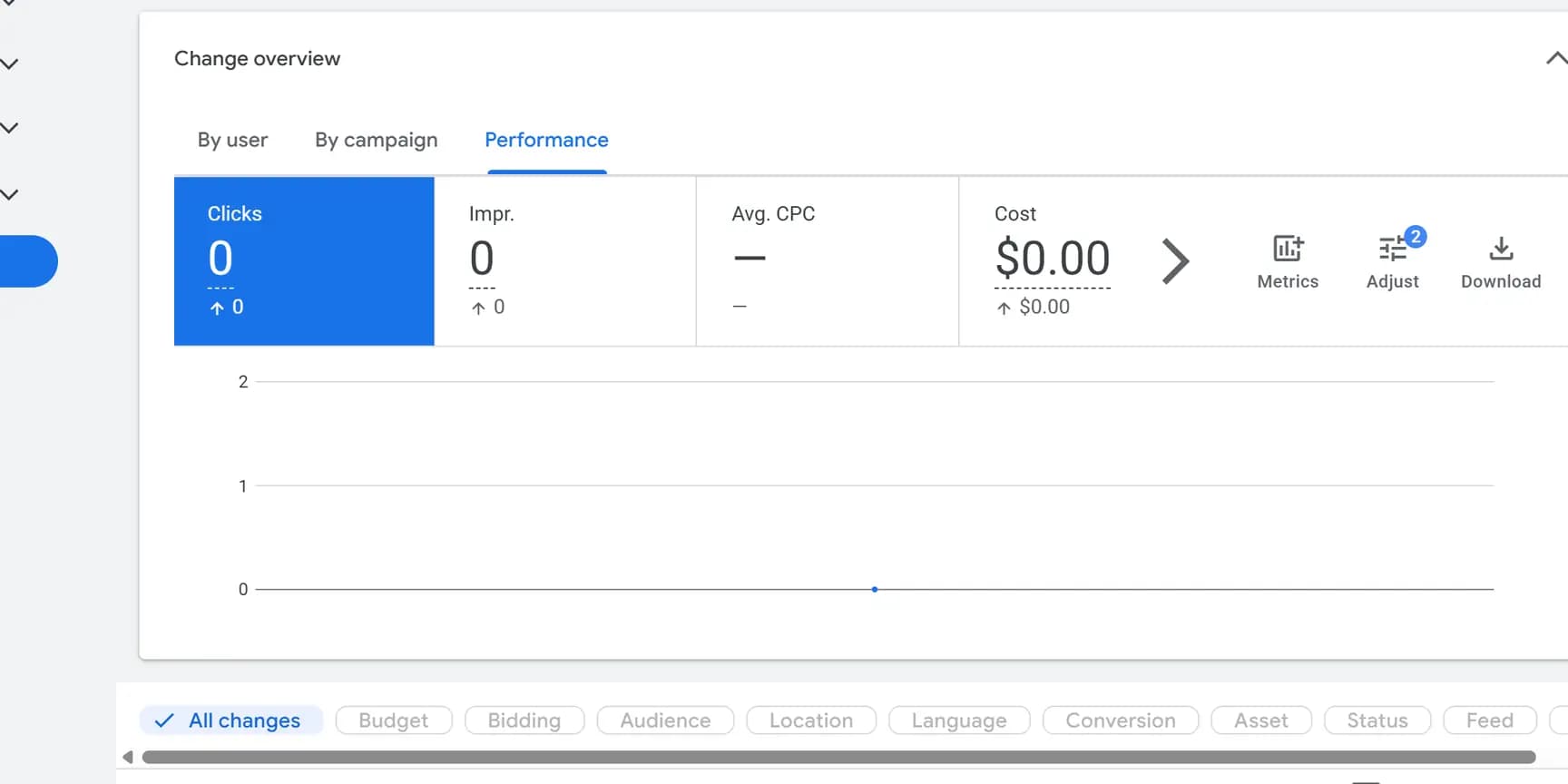
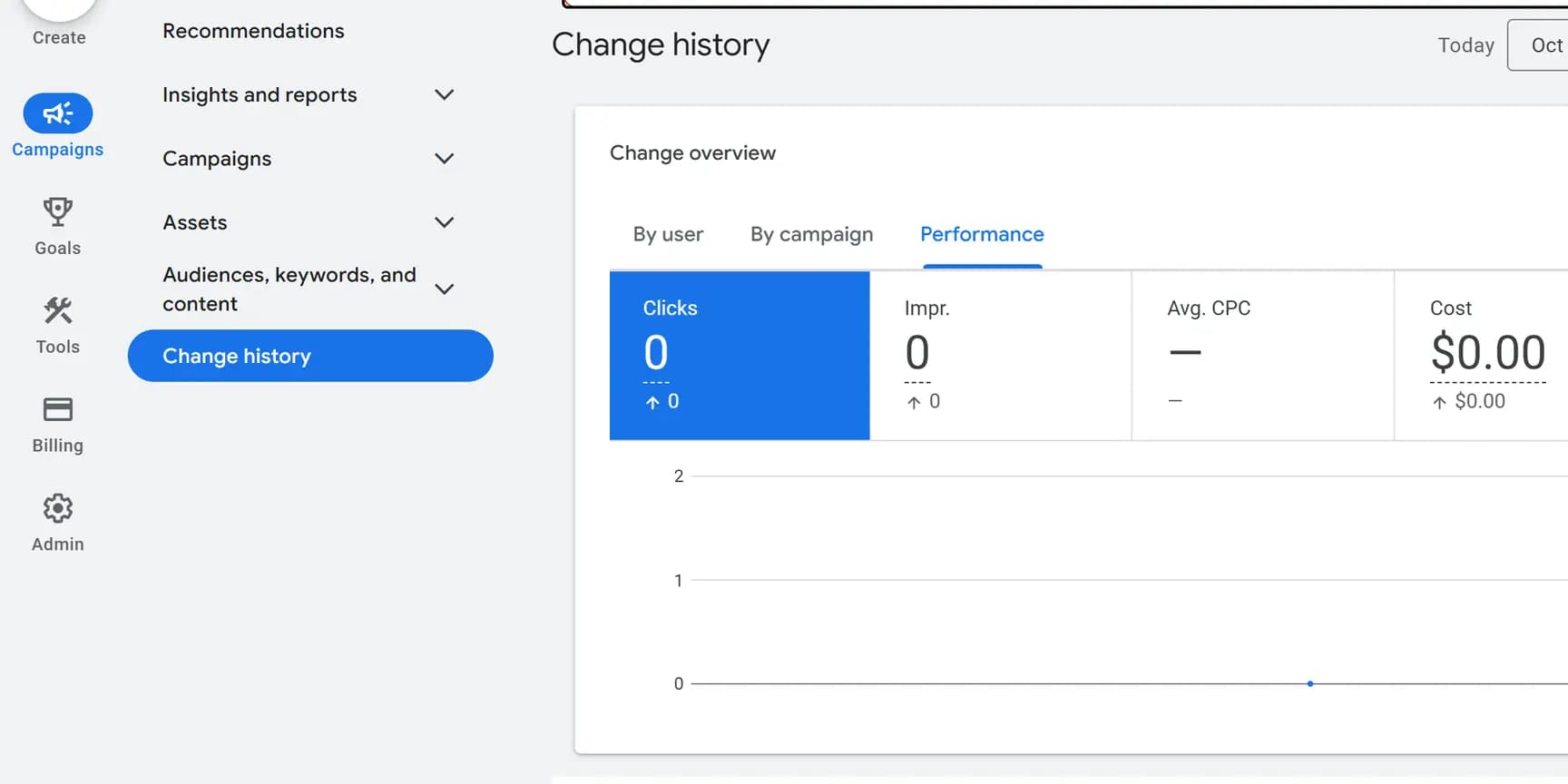
Undo it
Undo a change from its own row; most types of change can be undone for 30 days.
- Find the row. A change that can still be reversed has an Undo link in the User / Date & Time column; one that cannot says Changes can't be undone.
- Click Undo, then Undo again in the pop-up.
Most types of change from the last 30 days can be undone. If one row holds several changes, Undo reverses them all together. A change cannot be undone once something it touched has been removed, or if someone else has already undone it since you last refreshed the page; the column then reads Changes can't be undone.
Check what Google changed by itself
If a change in the list came from Google rather than a person, see which recommendations are set to apply automatically.
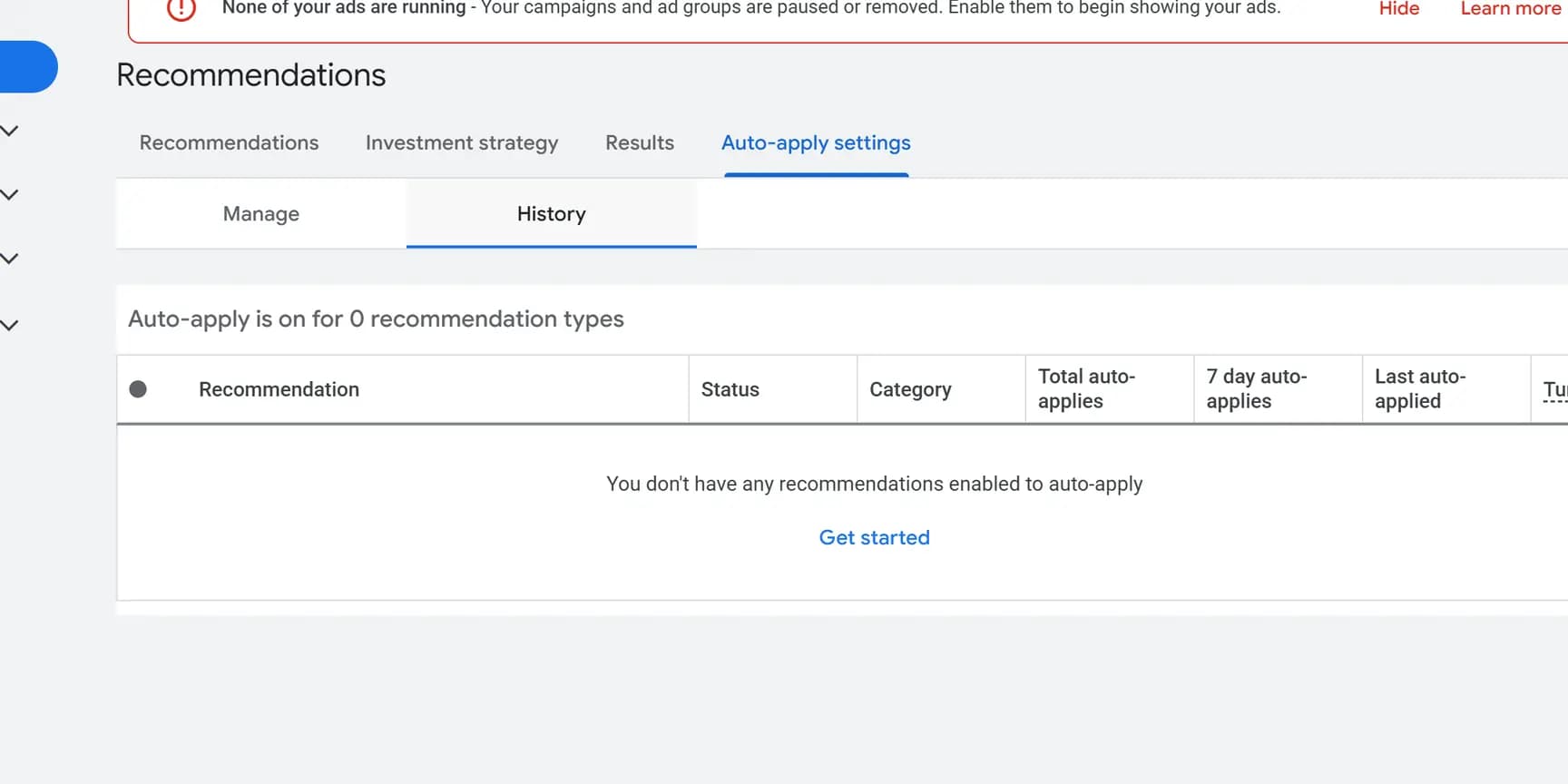
To stop one, untick it on the Manage tab and click Save, or select it on the History tab and click Disable.
Check it worked
The User / Date & Time column on that row now reads Changes undone.
Open the thing that changed, the campaign's budget, the keyword or the ad, and confirm it shows its earlier value.
Who the names in the User column are
The User column says where each change came from.
An email address: a person, working in the Google Ads website.
"Google Ads API" or a product name: software connected to the account, such as a reporting or bidding tool someone linked. Changes from Google Ads Editor and from automated rules are in change history too; the Tool column separates them.
"Google Ads system" or names like "ads-dartsearch-budget": automated systems. Google says these are usually maintenance and usually do not alter active campaign settings. If you use Search Ads 360, "ads-dartsearch-budget" can come from a Plan schedule setting there, which can be turned off.
If nobody at your business made the change
Google can apply its own recommendations automatically, such as Add keywords, Add broad match keywords or a change of bid strategy, once someone has turned that on. The History tab under Auto-apply settings shows what is on and since when.
To find who turned it on, filter Change history to the date History gives, as long as it is within the two years change history keeps. Google notes the date can be off for accounts in its Control Center beta before April 2021.
What change history does not show
It keeps two years, and nothing older. It does not record password changes. Google also says that some account-level settings changes, and changes made by Google representatives during consultations, are not always listed, and that a bulk edit touching thousands of items may show only part of its details.