
How-to · Updated October 4, 2026
Give someone access to your Google Ads account without handing over ownership
Updated October 4, 2026
5 minutes
Invite them by email with Standard access, not Admin. Standard can run every campaign but cannot give anyone real access, change access levels or accept a manager account link, so control stays with you. Keep at least two Admin logins of your own, and if they link a manager account, accept it and leave Owner set to No.
Before you start
- Admin access to the account. Only an Admin can give anyone more than email-only access, change access levels or accept a manager account link.
- The email address they sign in to Google with. It has to be a Google Account. If it is not one yet, they create one when they accept.
Invite them with Standard access
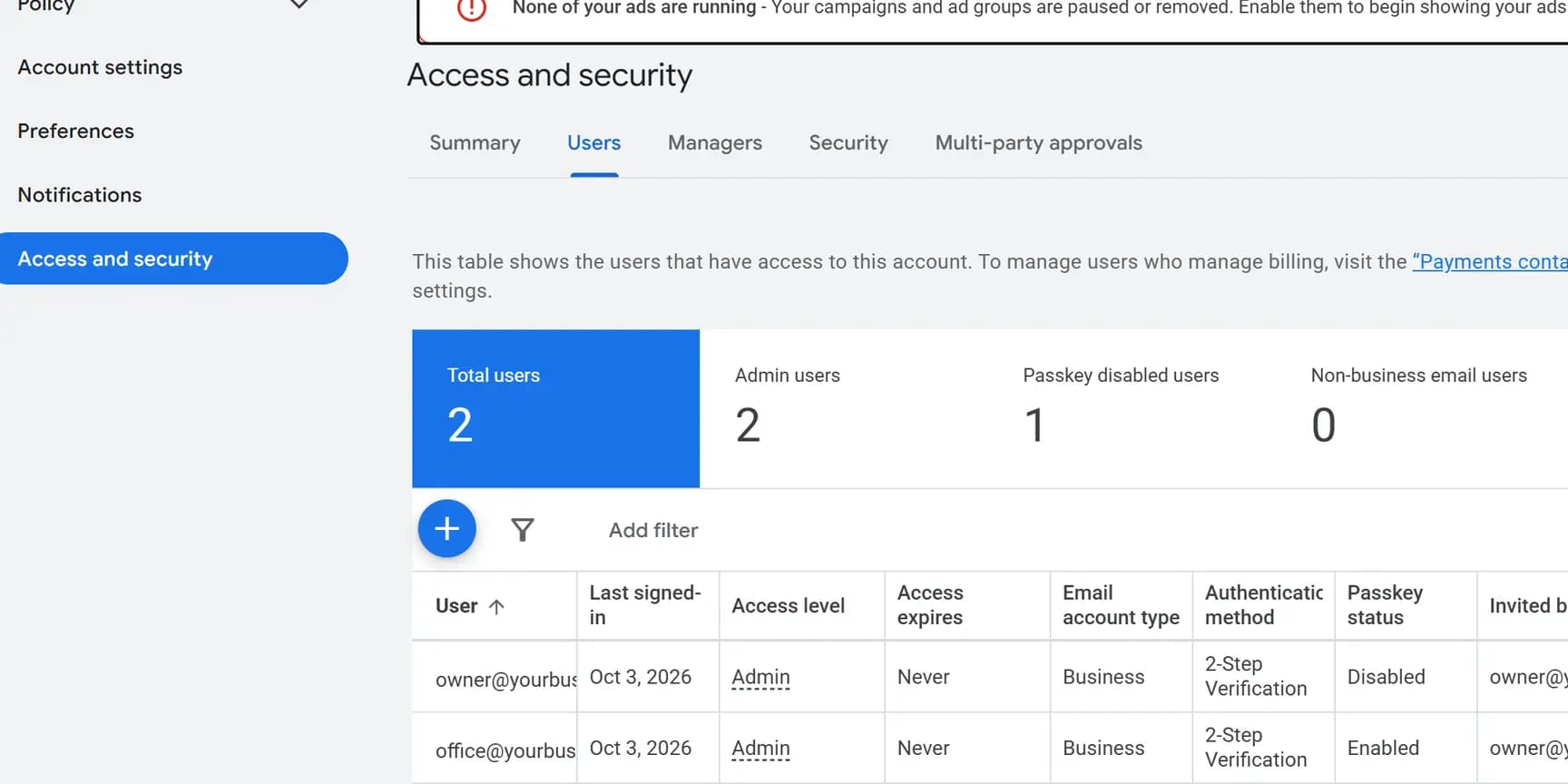
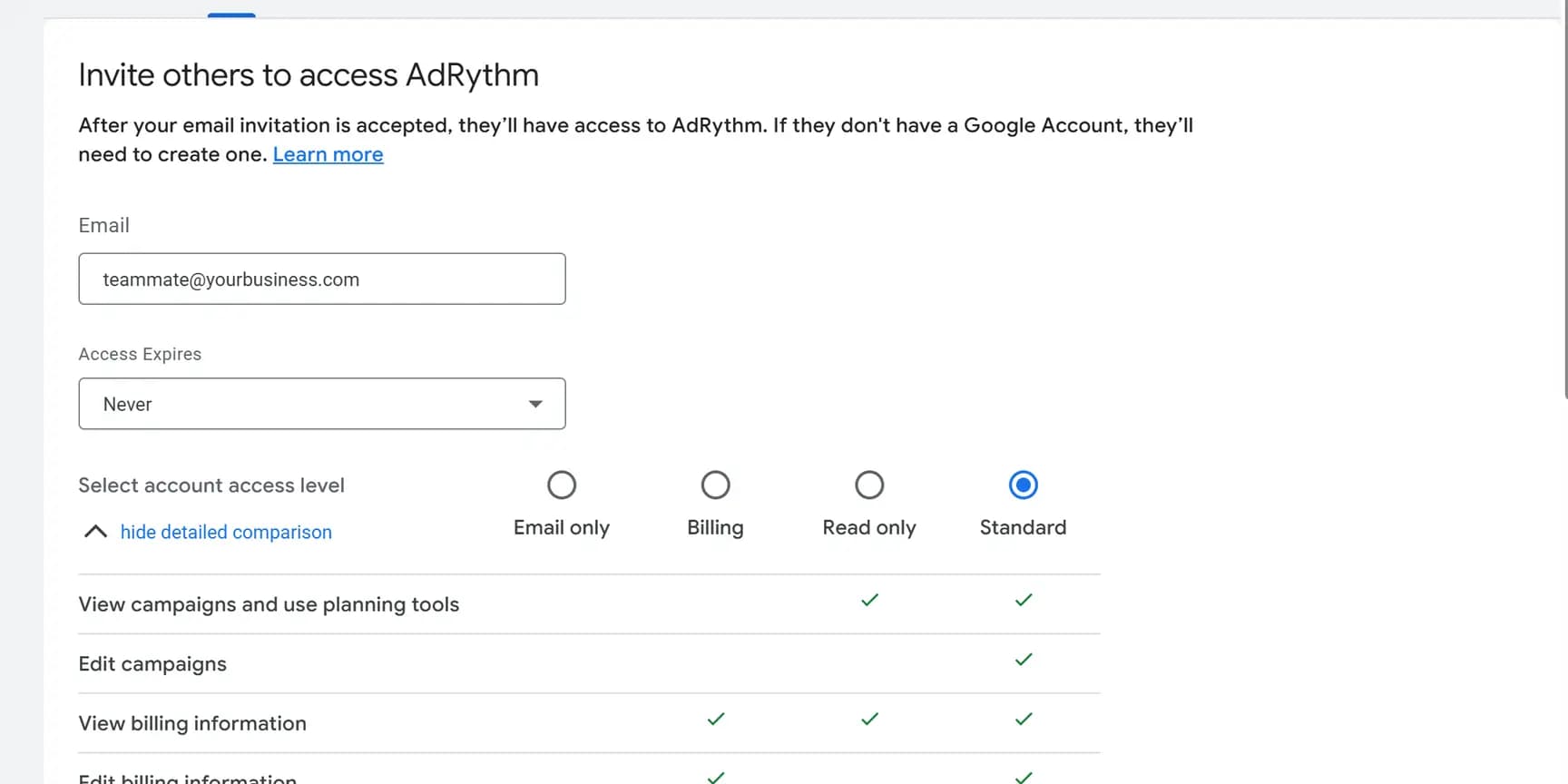
Admin is not one of the choices on the invite form; it offers Email only, Billing, Read only and Standard. To make someone an Admin, invite them first, then change their level in the Access level column once they have accepted.
If they manage accounts from a manager account
Freelancers and companies that run many accounts often work from a Google Ads manager account. They send a link request from it; you accept it.
- Give them your Google Ads customer ID so they can send the request.
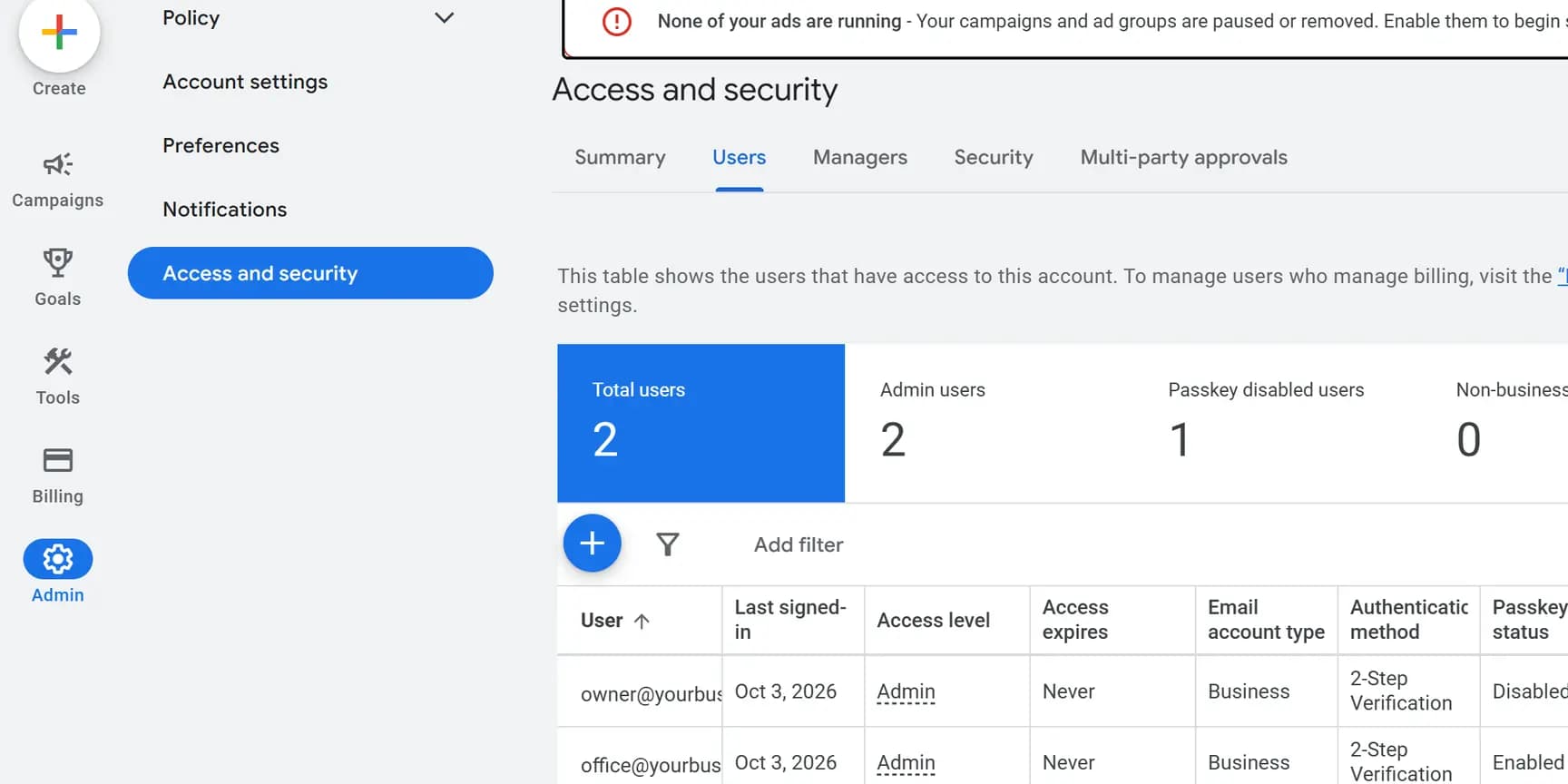
- Click the Admin icon, then Access and security, then the Managers tab. Their request is listed under Link request.
- Click Accept in the Actions column.
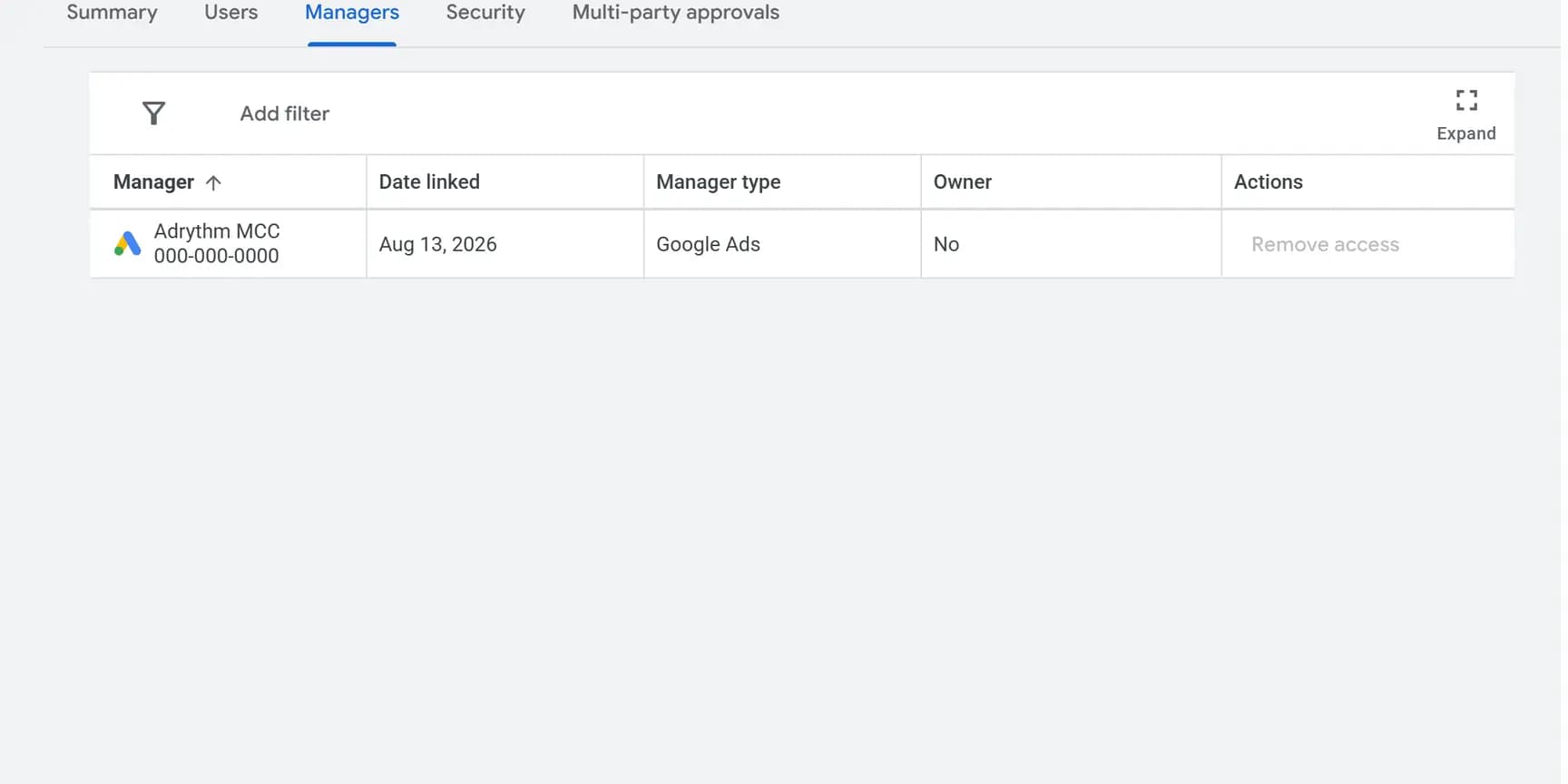
- Leave the Owner column on No. The link already lets that manager's admins run your campaigns. Owner would also let them edit your users, managers and product links, which is the same as handing over Admin.
Check it worked
Open Access and security again. Their email is listed with Standard in the Access level column. Until they accept, you can withdraw the invitation with Revoke in the Actions column.
Count the rows that say Admin. At least two should be people at your business. Google warns that an account with only one administrator may lose access to its tags if that person becomes unavailable.
If you accepted a manager link, the Managers tab lists it with No under Owner.
What Standard access can and cannot do
Standard is the level for whoever runs your campaigns day to day. In Google's access table it can do the campaign work and cannot decide who else gets in.
Can: edit campaigns, run and edit performance reports, view and edit billing information, and create conversions from Google Analytics events. On a Postpay account it can also make payments, switch to Prepay and change the threshold.
Cannot: give anyone more than email-only access, change access levels, accept or reject manager link requests, unlink managers, add or remove product links, link Google Analytics to import conversions, or change payment methods.
When they need an Admin step, such as linking Google Analytics to import conversions, an Admin at your business does that one step. You can also raise their level for the day and lower it afterwards from the Access level column.
The other access levels, and who each one is for
Google has five levels in all.
Read-only: can view campaigns and billing, run reports and use the planning tools, and cannot edit campaigns. For a consultant reviewing the account.
Billing: can edit billing information, payment methods and the payments profile, and make payments, and cannot see campaigns. For whoever pays the invoices.
Email-only: receives notification emails and reports, nothing more.
Admin: everything, including who has access. Keep it for people at your business.
If someone else created the account for you
When a manager account creates a new Google Ads account, that manager becomes its owner automatically. An existing account linked to a manager later is not owned unless someone with Admin access turns ownership on.
An owner's admins can invite and remove your users and transfer ownership to another manager. Anyone with Admin access on your account can still end it by unlinking that manager. If nobody at your business has Admin access, ask whoever runs the account to invite you as Admin first.